Front desk software: check-in and check-out made easy
Reception is where everything converges: arrivals, questions, the phone, room status. Good front desk software sorts out that clutter — and stays invisible while doing it.
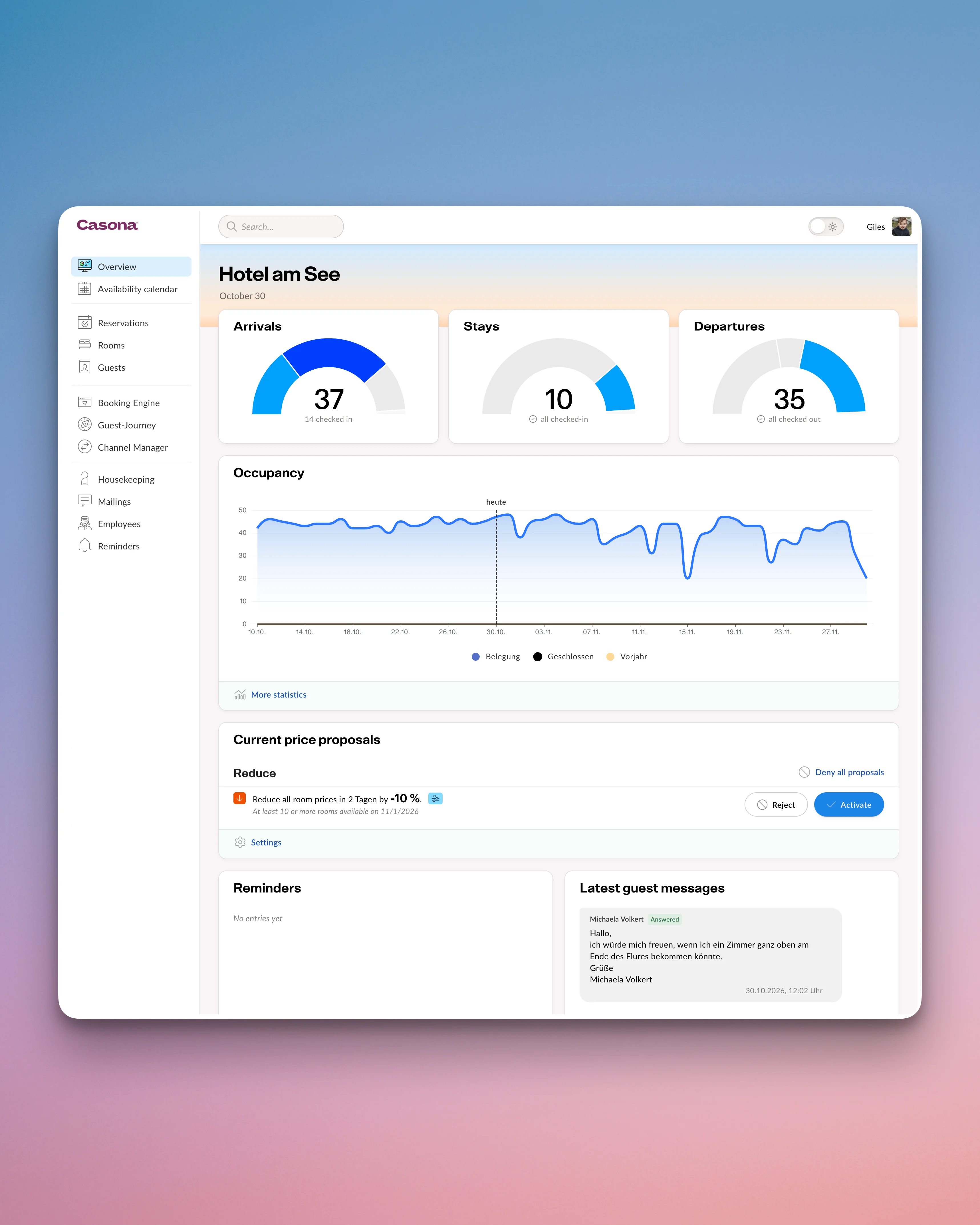
The front desk at a glance
See pricing- Morning overview Arrivals, departures and notes, by email if you like
- Live room status Housekeeping reports from their own device, no phone calls
- Check-in in a few clicks Guest profile and registration form already filled in
- Bill ready at check-out Restaurant sales included, split and settle
7:00 am — the daily overview
The morning shift opens Casona and sees at a glance: 8 departures, 11 arrivals, one of them a group, two guests with breakfast to the room. Arrival and departure lists are ready, notes from the night sit right on the reservation. If you like, the morning briefing also arrives by email — before the first coffee.

11:00 am — housekeeping reports live
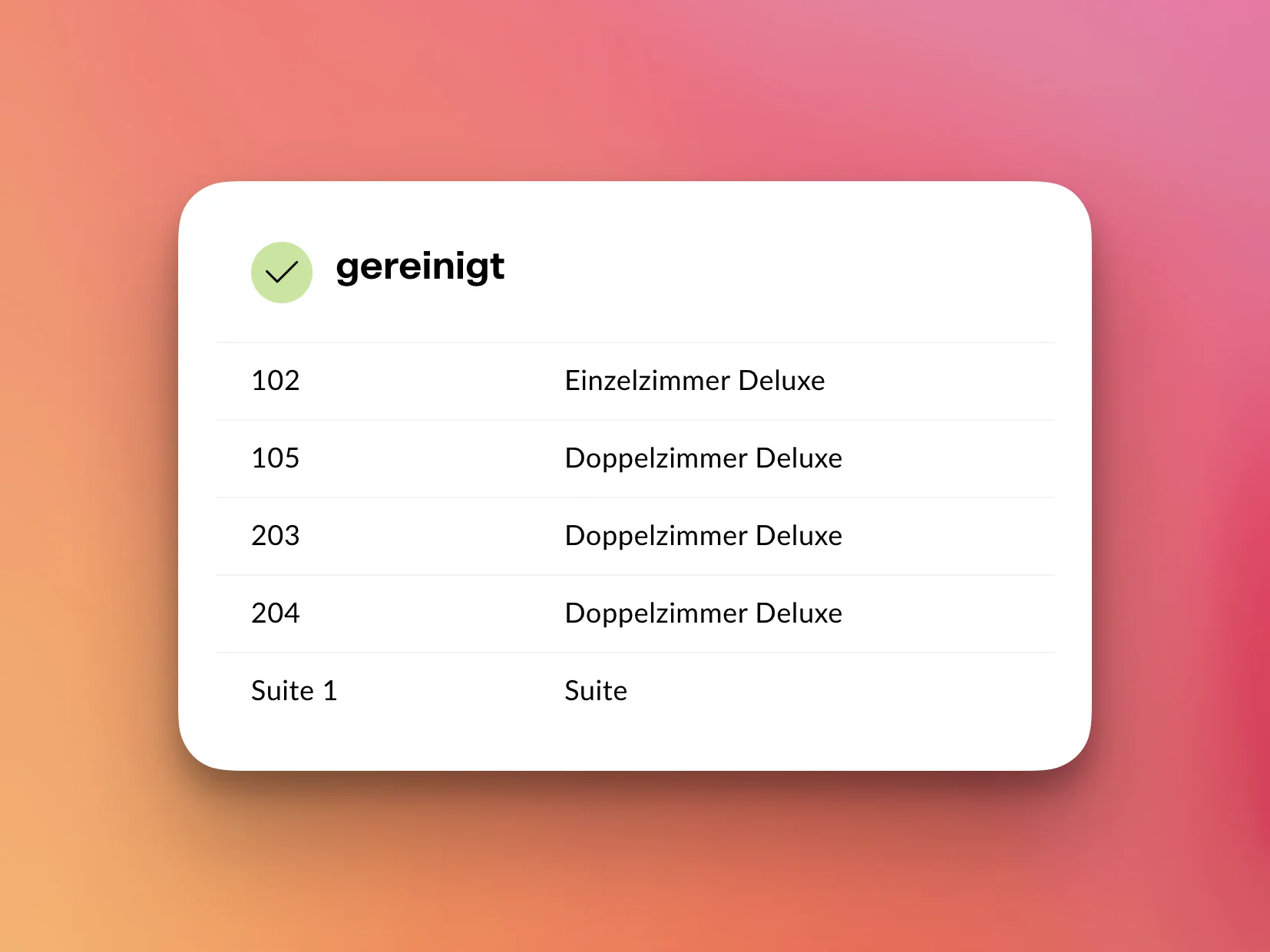
Room 12 is cleaned, room 14 in progress: housekeeping sets the status on their own device, and the front desk sees it right in the occupancy calendar — no phone call, no paper slips. Early arrivals can be confirmed the moment the status flips — not on a hunch.
3:00 pm — check-in without paperwork
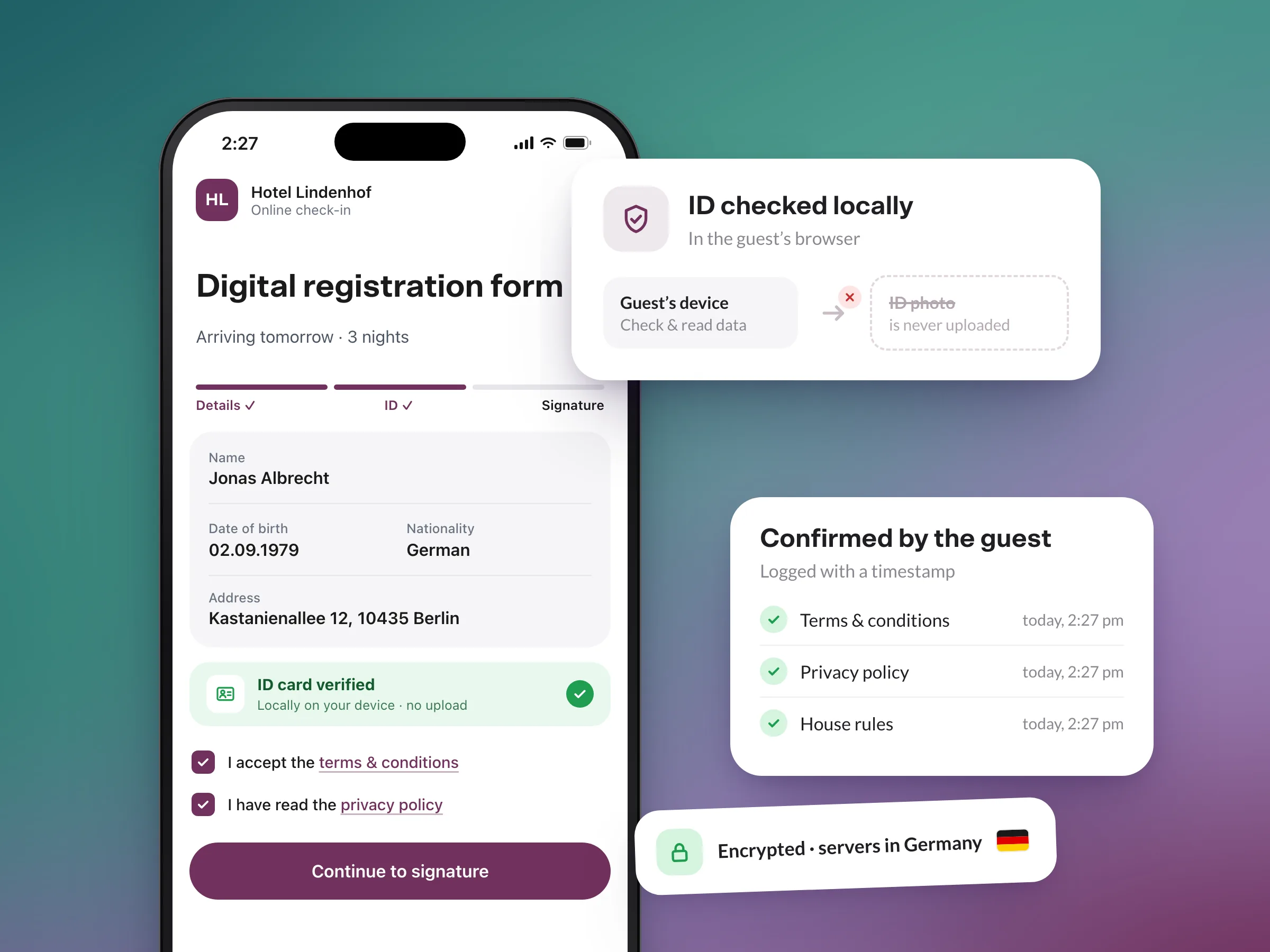
The guest is at the desk, the profile already knows them, the digital registration form is filled in ahead of time. Two clicks, hand over the key (or door code), done. And at check-out the next morning the invoice is already complete — the administration behind it has been working along.
That is the standard Casona's hotel software sets for itself: the desk stays calm, even when it gets busy.
Frequently asked questions about front desk software
How fast is a check-in with Casona?
Does the front desk see which rooms are already cleaned?
What happens with open items at check-out?
Does the front desk software work on a tablet too?
Upgrade your business.
Less admin, more hospitality: try Casona free for 30 days — no credit card, with personal help from our team in Hamburg.